
Manage your user account
Keeping your user account settings up-to-date ensures NXLog can identify and contact you when needed. You should also maintain your account’s security by using two-factor authentication and regularly updating your password.
Update personal information
Sign in to NXLog Platform, click the User account menu, and navigate to Manage account > Personal information.
To update your details, modify the First name, Last name, and Phone number fields accordingly and click Save.
To change your email address:
-
Click the Change email button.
-
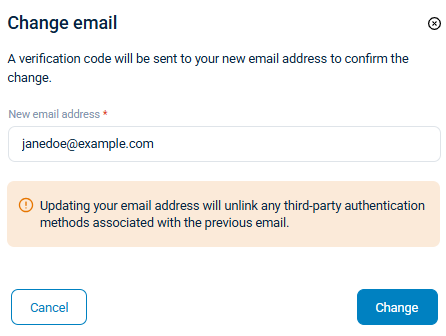
Enter the new email address and click Change.
-
An email with a final confirmation step is sent to your email address. Once you confirm, both the old and new email addresses will receive an email confirming the change.
|
The account’s email address is also your username. Use the new email address the next time you sign in. |
Activate two-factor authentication
Currently, NXLog Platform supports two-factor authentication using an authenticator app.
To configure two-factor authentication:
-
Sign in to NXLog Platform, click the User account menu, and select Security settings.
-
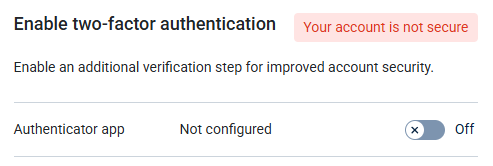
Turn on the Authenticator app switch under Enable two-factor authentication.
-
Scan the QR code displayed using your authenticator application, enter the six-digit code it generates, and click Verify to proceed.
-
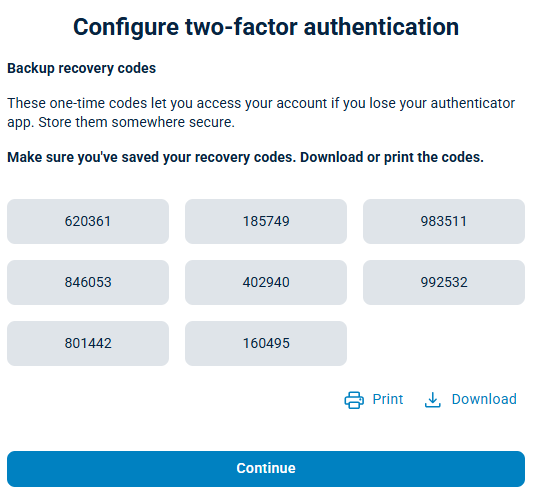
A list of recovery codes appears. Save the recovery codes in a safe place. If you lose your device and cannot provide a recovery code, you must contact NXLog support to recover your account.
-
Click Continue to close the dialog. Your account is now secure.
Change your password
To change your password:
-
Sign in to NXLog Platform, click the User account menu, and select Security settings.
-
Click the Change password button.
-
An email with instructions to reset your password is sent to your email address.
-
Open the email and click the Change password button to open the password reset form.
-
Enter a new password and click Confirm to change your password.
Passwords must:
-
Be at least 12 characters long.
-
Include at least one upper case letter.
-
Include at least one lower case letter.
-
Include at least one special character.
-